
One system.
Separate offices.
Keep the front desk, clinical team and billing connected through extension dialing and transfers—even when they're at different addresses.
Z-CLOUD FOR MEDICAL PRACTICES
From appointment requests to prescription questions, give every caller a clear path to the right person on your team—without a base-plan fee for every provider and staff member.
Unlimited extensions. No per-user base-plan fee.
Phones and optional mobile app access cost extra.

Room for your whole teamProviders, nurses, front desk and billing
One practice or several officesA shared phone system across your locations
Fewer missed callsClear routing and queues for busy periods
FROM THE FIRST HELLO
A new patient wants an appointment. Someone needs a prescription refill. Another has a billing question. Give each call a clear path to the team that can help.
EXPLORE AN EXAMPLE CALL FLOW
Your greeting, department routes and office hours are configured for your practice.
APPOINTMENT REQUEST
Connect patients who want to book, reschedule or confirm a visit to your front-desk or scheduling team, even during the busiest part of the day.
Phone menus · Ring groups · Call transfers
PRESCRIPTION REFILL
Help patients reach the right staff about a prescription refill or medication question, with a queue for busy times.
Department routing · Call queues · Voicemail
BILLING QUESTION
Give insurance and billing questions a direct route, with easy transfers between billing, the front desk and other offices.
Ring groups · Extension dialing · Cross-location transfers
AFTER-HOURS CALL
Set a different greeting and route for evenings, weekends or other times your office is closed.
Office-hour schedules · Voicemail · Email notifications
Illustrative call flows. Feature availability, configuration and any additional charges are confirmed before activation.
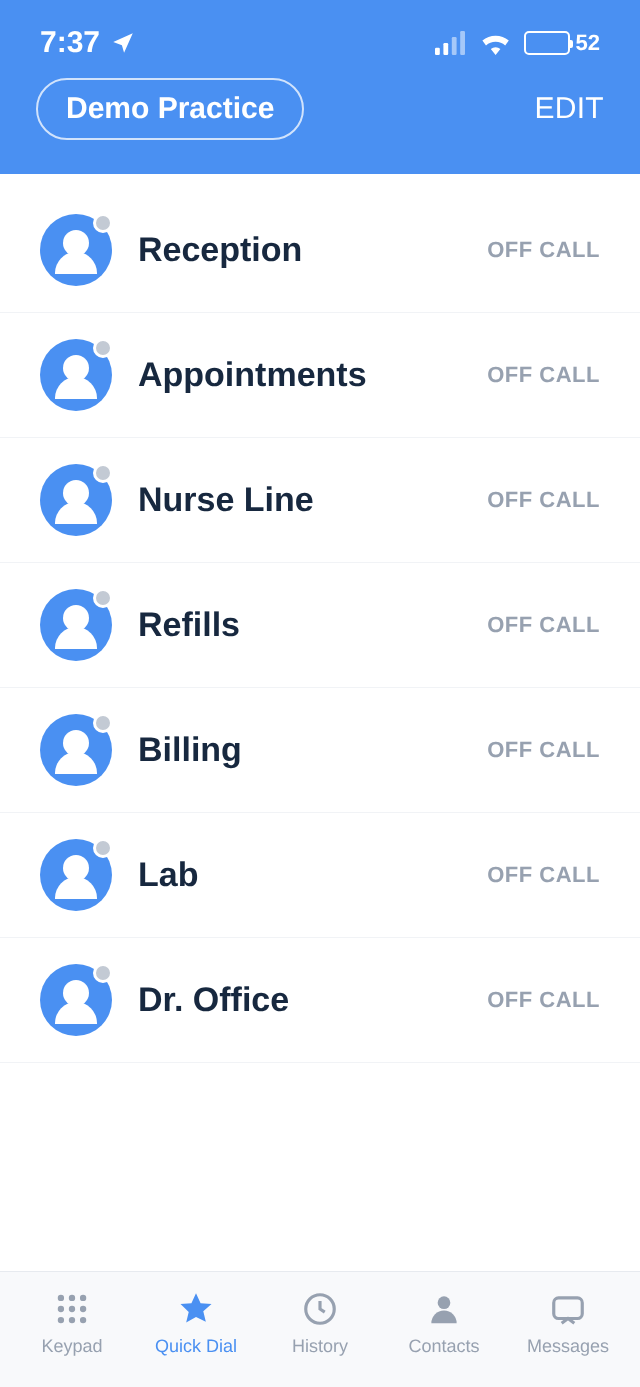
ON CALL. BETWEEN OFFICES. ON A DAY OFF.
An on-call provider may need to return a patient's call after hours. If you choose to stay available, optional Z-Fone mobile access lets a team member use a business extension on a mobile phone—or transfer the call to a colleague—without sharing a personal number.
THE GROWING-PRACTICE COST ADVANTAGE
Per-user pricing adds up across every provider, nurse, front-desk and billing extension. Z-Cloud's base calling-plan fee is tied to simultaneous outside conversations instead of your extension count.
Size the plan around your busiest calling periods. Then give your clinical and administrative teams the extensions they need. More extensions at the same outside-call capacity means the same base calling-plan fee.
AN EXAMPLE, NOT A PLAN RECOMMENDATION
extensions
extensions
8 simultaneous outside conversations in both casesSame base calling-plan fee at the same capacity
Illustrative capacity only. Your plan must cover your real peak call volume. More outside conversations at once require more capacity. Phones and optional app access cost extra; total savings depend on your current service and chosen setup.
ONE OFFICE. OR YOUR WHOLE PRACTICE GROUP.
TelcoDepot serves single-location practices as well as groups with satellite offices and specialty clinics. Z-Cloud connects them on one phone system.
Keep the front desk, clinical team and billing connected through extension dialing and transfers—even when they're at different addresses.
Put your providers, nurses and administrative staff on a shared system. Your locations share your selected outside-call capacity, so plan around their combined busiest periods.
Plan your call flows with TelcoDepot. U.S.-based remote technical support is included while your Z-Cloud service plan is active.
FOR PHYSICIANS WHO WORK ACROSS LOCATIONS
Some practices have physicians who rotate between offices through the week—Monday downtown, Wednesday at the satellite clinic, Friday across town—often with the same medical assistants and front-desk staff moving with them.
With a single Z-Cloud system spanning every location, a physician and her team keep the same extensions, voicemail and call routing wherever they are that day. Calls reach them as if the whole practice were under one roof.
BEFORE YOU MAKE THE MOVE
Every practice works a little differently.
We'll help you plan around yours.
Your base calling plan is based on the number of outside calls your practice needs at the same time. Unlimited extensions share that capacity. Equipment, optional mobile app access and additional call capacity are separate costs. We'll confirm your configuration and applicable charges in your quote.
We'll check number-transfer eligibility and your existing phone models. Compatible phones may be reused as part of a service-only or mixed-equipment setup. Keep your current service active until your number transfer is complete.
Yes. Phone menus, department routing, ring groups, queues and office-hour schedules can be configured around how your teams handle calls. Your final setup and any optional charges are confirmed before activation.
Yes. Optional Z-Fone access lets a staff member make and receive calls using a business extension from a mobile phone, so their personal number stays private. They can also transfer a caller to a colleague. App access is billed separately per user, and a suitable internet or mobile data connection is required. Coverage depends on the location and network.
Yes. Your front desk, clinical team, billing and additional offices can share a phone system, with extension dialing and transfers between them. Your locations share the selected outside-call capacity, so we'll plan around their combined busy periods.
Yes. Because every location shares one Z-Cloud system, a physician and her staff can keep the same extensions, voicemail and call routing no matter which office they're in that day. Calls, transfers and extension dialing behave as if the whole practice were in a single location.
Add extensions without increasing your base calling-plan fee at the same outside-call capacity. Any additional phones or optional app licenses cost extra. If your call volume increases, we can quote the additional simultaneous outside-call capacity you need.
LET'S LOOK AT YOUR PRACTICE'S PHONE BILL
Bring us your extension count, offices and current phone bill. We'll help you compare costs and choose outside-call capacity for the way your practice works.
Prefer email? info@telcodepot.com